Technology And Impact In Medical Field 💉👨‍⚕️ 💊

Technology and medicine have gone hand and hand for many years. Consistent advances in pharmaceuticals and the medical field have saved millions of lives and improved many others. As the years pass by and technology continues to improve, there is no telling what advances will come next.
Medicine had always relied on technology such as scalpels, probes and materia medica. However, by the start of the 20th century new instruments were available to study, diagnose and treat the body. Today, hospitals worldwide use complex, computerised machines to image the body or assist its function.

How does technology affect us?

Being overly connected can cause psychological issues such as distraction, narcissism, expectation of instant gratification, and even depression. Beside affecting users’ mental health, use of technology can also have negative repercussions on physical health causing vision problems, hearing loss, and neck strain.

The Impact of Technology in Healthcare

There are no two ways about it: technological developments in healthcare have saved countless patients and are continuously improving our quality of life. Not only that, but technology in the medical field has had a massive impact on nearly all processes and practices of healthcare professionals.

Digitalization of Health Records
Electronic Health Records (EHRs) replacing outdated paper records has been a massive game changer for everyone in the medical world. EHR can automatically alert the treating physician to potential issues (such as allergies or intolerances to certain medicines). EHRs can be accessed from nearly any medical facility, which is extremely useful for doctors assessing non-local patients (and crucial if the patient is unresponsive)

Telemedicine


The terms ‘telemedicine’ and ‘telehealth’ can be used to refer to two-way video consultations (or the transmission of healthcare data like electrocardiograms). Telemedicine can be used in many fields, especially in a sector like cardiovascular healthcare.

Telemonitoring technology can monitor vital signs, symptoms, and even blood levels from a remote location. Future cardiac monitor technicians will be happy to learn that AliveCor is developing a device to detect potassium blood levels to prevent hyperkalemia. Though not yet approved by the FDA, this is a perfect example of how technology is meeting the needs of at-risk patients.

The Risk of Medical Records Hacking(Dangers Associated with Artificial Intelligence in Medicine)


We can’t deny the many advantages of technology in healthcare, but as with all tech breakthroughs, there are a handful of issues that require attention.

In 2015, hackers stole records for almost 80 million Anthem customers and employees, the second-largest health insurance company in the US. Only names and addresses were stolen, (no details of illnesses or treatments were exposed), but if this can occur to an insurance giant such as Anthem, it raises questions about how safe patient records really are in your local clinic.
Patient records are apparently big business, with stolen health credentials fetching upwards of $10 each – about 10 or 20 times the value of a credit card number. The information on these records can then be used to create fake IDs (to purchase medical equipment/drugs or submit false insurance claims).

~CRISPR

Clustered Regularly Interspaced Short Palindromic Repeats (CRISPR) is the most advanced gene-editing technology yet. It works by harnessing the natural mechanisms of the immune systems of bacterium cells of invading viruses, which is then able to ‘cut out’ infected DNA strands. This cutting of DNA is what has the power to potentially transform the way we treat disease. By modifying genes, some of the biggest threats to our health, like cancer and HIV, could potentially be overcome in a matter of years.

CRISPR is still a first-generation tool and its full capabilities are not yet understood.

~Artificial organs


To take 3D printing up another notch, bio-printing is also an emerging medical technology. While it was initially ground-breaking to be able to regenerate skin cells for skin draughts for burn victims, this has slowly given way to even more exciting possibilities. Scientist have been able to create blood vessels, synthetic ovaries and even a pancreas. These artificial organs then grow within the patient’s body to replace original faulty one. The ability to supply artificial organs that are not rejected by the body’s immune system could be revolutionary, saving millions of patients that depend on life-saving transplants every year.

~Virtual reality

Virtual reality has been around for some time. However, recently, with medical and technological advances, medical students have been able to get close to real life experience using technology. Sophisticated tools help them gain the experience they need by rehearsing procedures and providing a visual understanding of how the human anatomy is connected. The VR devices will also serve as a great aid for patients, helping with diagnosis, treatment plans and to help prepare them for procedures they are facing. It has also proved very useful in patient rehabilitation and recovery.
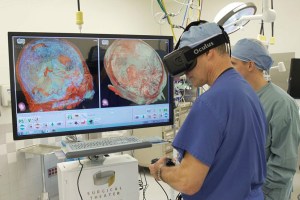
Virtual Reality has the ability to transport you inside the human body – to access & view areas that otherwise would be impossible to reach.

Currently, medical students learn on cadavers, which are difficult to get hold of and (obviously) do not react in the same way a live patient would. In VR however, you can view minute detail of any part of the body in stunning 360° CGI reconstruction & create training scenarios which replicate common surgical procedures.

Medical Realities is one of the companies pioneering the use of Virtual Reality to deliver high-quality surgical training. They film real life surgery in 4K 360° video from multiple angles which is then combined with CGI models of the anatomy being operated on to provide an immersive & interactive training experience.
9 Cool Gadgets You Need To Know 🤖

Modern technology is the advancement of the old technology with new additions and modifications. For example, it is impossible for the people in this decade to live with a wired telephone placed on the table.

It’s hard to stay up-to-date with the ever-growing, forever changing tech space.

So here are some of the gadgets you would like to know

~Airblock

“More than just an aircraft”.


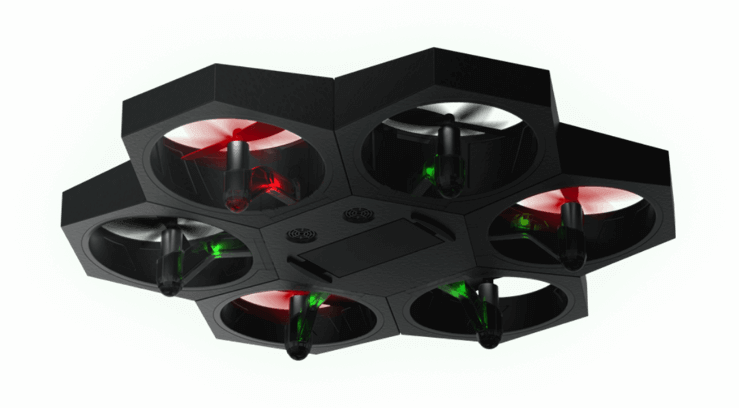
Airblock is made up of 1 core master module, and 6 power modules. Connect them magnetically to quickly build an aircraft, a hovercraft or a variety of other DIY configurations! With Makeblock software, children can get started quickly. Whilst they play, they’ll learn block-based programming, the principles of aerodynamics, exercise logic and use their critical thinking skills.

Airblock is easy to use. Via the unique MakeBlock coding app, children can control their robot with instructions they program themselves. They will be learning to program and create at the same time, through play.

~VUE Glasses

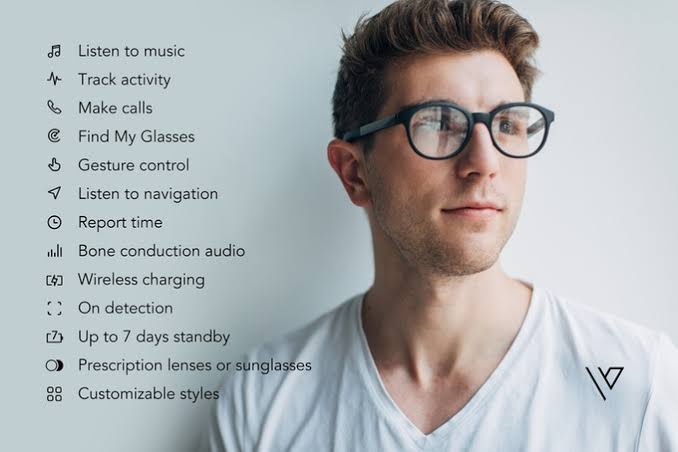
Smart meets style


Never miss a beat:-
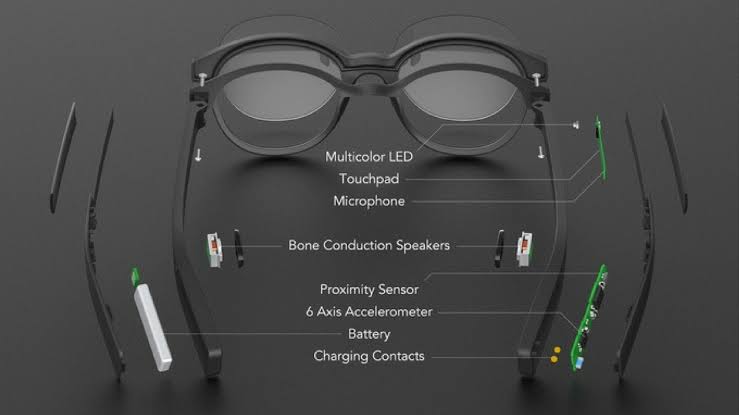
Bone conduction audio technology transfers stereo sound to your inner ear without the use of earbuds. Your ears remain unplugged, so you can listen to music, answer calls, and hear notifications all from your glasses while still being able to hear the world around you.

Let your glasses do the talking:-
Launch powerful voice assistants
just by tapping your glasses.
Check the weather, set reminders,
and more with the power of the
Internet-delivered to your frames

Stay mobile, Stay charged:
Just pop your glasses into the
portable charging case overnight
or when you’re not using them,
and Vue will charge automatically.
With the charging case, Vue’s
battery lasts up to one week.

~Fotokite phi

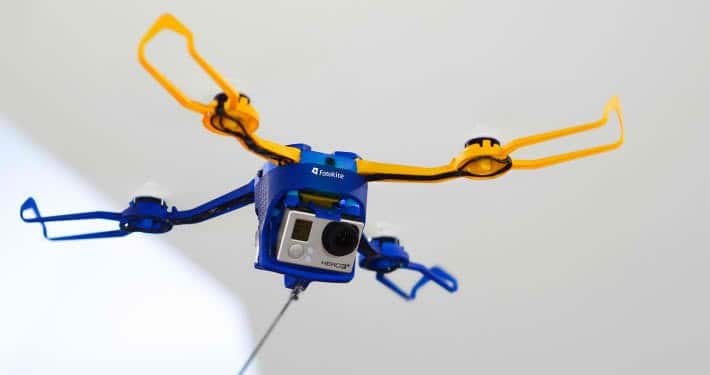
An Aerial Camera on a Leash

If you’re familiar with the concept of flying a kite, then you’d get the idea behind the Fotokite Phi. The camera’s official site says it’s “Made for the hobby photographer, the action sports enthusiasts, the guerrilla journalist, and the gadget aficionado.”

Fotokite Phi was conceptualized by Sergei Lupashin, a robotics researcher. He spends a decade working on drone technology which included his doctoral work at the Flying Machine Arena at ETH Zurich, a Swiss science and engineering university. He also started his own company called Perspective Robotics AG. The fruit of all his labor is the Fotokite Phi, a quadcopter with a leash.

On first notice, the Phi just looks like a simple toy, but that design was not by accident – it was on purpose. Lupashin worked on sophisticated drones in the lab, but bringing that technology to the outside world was a source of his frustration. He always dreamed of making a drone that is accessible and safe for consumers to use, but also one that’s armed with sophisticated technology.

Enter the Fotokite Phi which was announced through an Indiegogo campaign. Despite its simplicity, the Phi is not a poor man’s drone. Rather, it’s an operator-guided flying camera capable of providing a different kind of aerial photography. Lupashin even refers to it as a “flying selfie stick.

~Cubinote pro

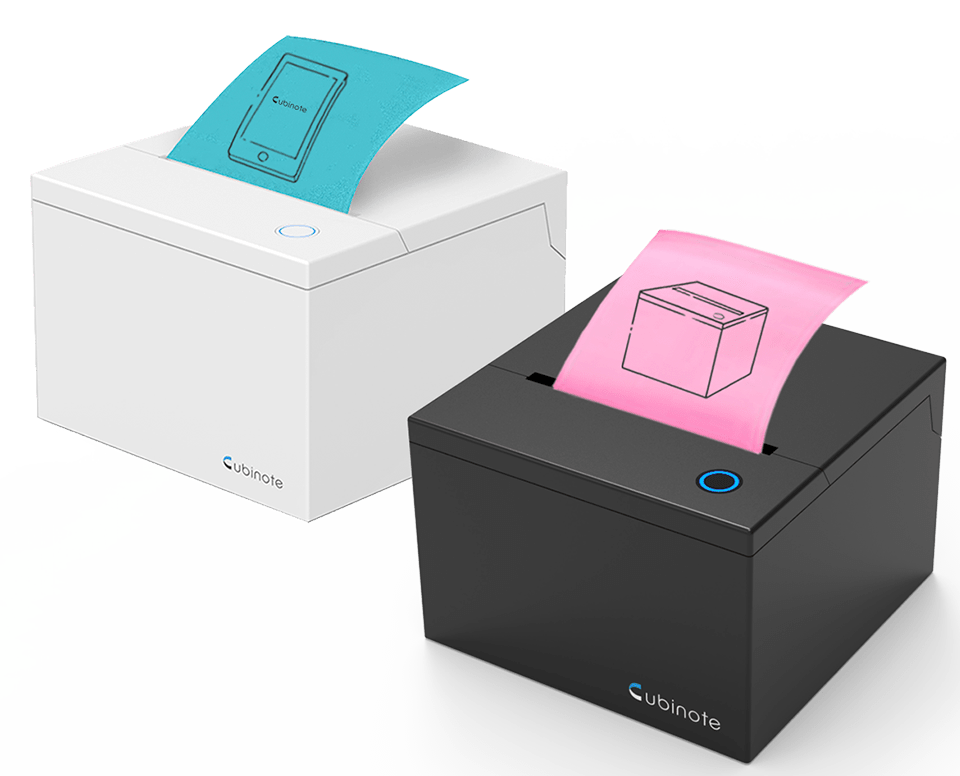
The World’s First Internet-Enabled
Sticky Note Printer, Label Maker and Paper Messenger.

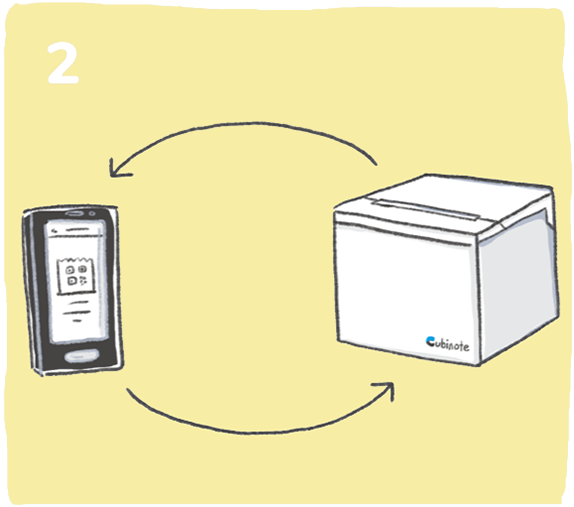
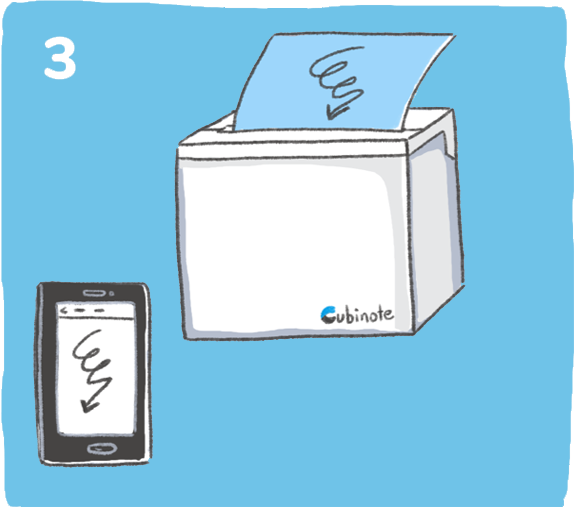
Capture inspiration in any form. This compact office accessory lets you print anything on your phone – no ink required. Just put the paper in and you’re ready to stick or share your ideas to any part of the world.

Paper Messenger
Cabinet is both Bluetooth and Internet-enabled. This allows you to send a real paper message to any part of the world. It is like a modern-day fax machine without a phone line.

~reMarkable 2

The next-generation paper tablet

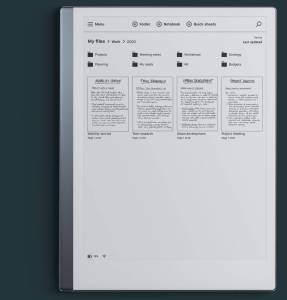
Replace your notebooks and printed documents with the only tablet that feels like paper. ReMarkable’s redesigned e-paper tablet is more powerful and more papery.”

reMarkable at a glance
Take handwritten notes, read, and review documents
A display that looks and feels like paper
Convert your handwritten notes into text
Take notes directly on PDFs
Eye-friendly reading
All your notes, organized and accessible on all devices

Supports 33 languages

Supports cursive and block letters

•Your notes. Organized.
Practically unlimited pages and folders mean you can organize your notes, documents, and books however you like. Keep a notebook for each client or project and never lose track of them again.

~Tactigon

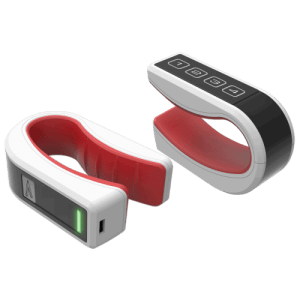
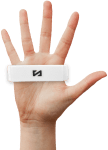
Tactigon is a programmable wearable to enable gesture control for robots, PC games, VR/AR, computers, 3D printers, drones, apps, and more.

Wearable Gesture Control Specs
The Tactigon Skin’s compact size hides a high degree of complexity that makes it an easy to gesture controller.

Artificial Intelligence
Enjoy increased performance in gesture capture and motion recognition thanks to its Artificial Intelligence algorithm.

Easy Connectivity
Using Bluetooth Low Energy Interfaces, connect T-Skin to a variety of devices including smartphones, laptops, and drones.

Accurate Motion
Measuring linear and angular motion in real-time along with magnetic and pressure readings provide precise movement accuracy.

Build-in Arduino IDE
Whether downloading apps from our Sketch Arena or writing your own, find new reaches for your own gesture control.

4 Programmable Keys
Tactile keys allow for different command combinations based on finger placement to toggle modes, inputs, and features.

Robust Battery Life
Hidden in the ergonomic design is a 155 mA rechargeable battery that can run your T-Skin for up to 8 hours consistently

~Flex cam oppy

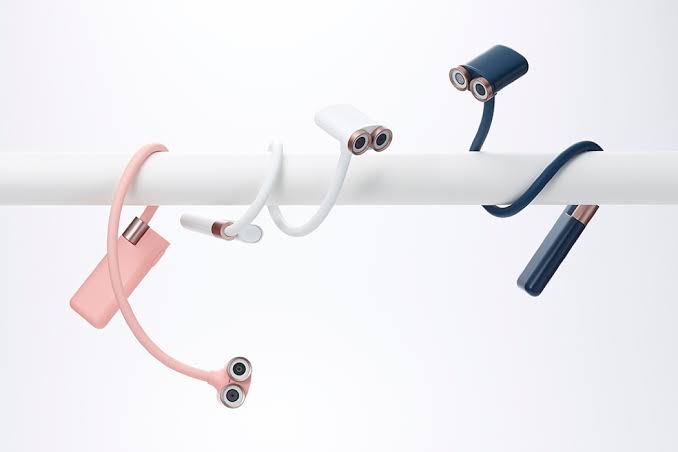
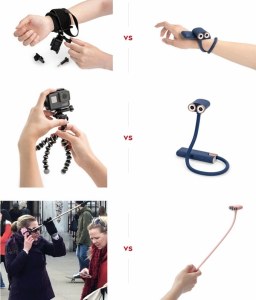
The Oppy camera is one of the most unique camera’s ever created – it’s cute, it’s flexible and it is quite capable. Its flexible arm enables a variety of usage angles without the need for mounts and tripods of a typical action camera. A 13MP, image-stabilized camera can be synced with your phone over its own Wifi hotspot.

Faster, Lighter, Easier than Ever!

Traditional action-cams, like Go-Pros ™, need countless accessories like tripods, gimbals, mounts clamps and harnesses. Not only is this annoying to set-up and carry, but it also adds up to be super-pricey. With OPPY, no accessories needed.

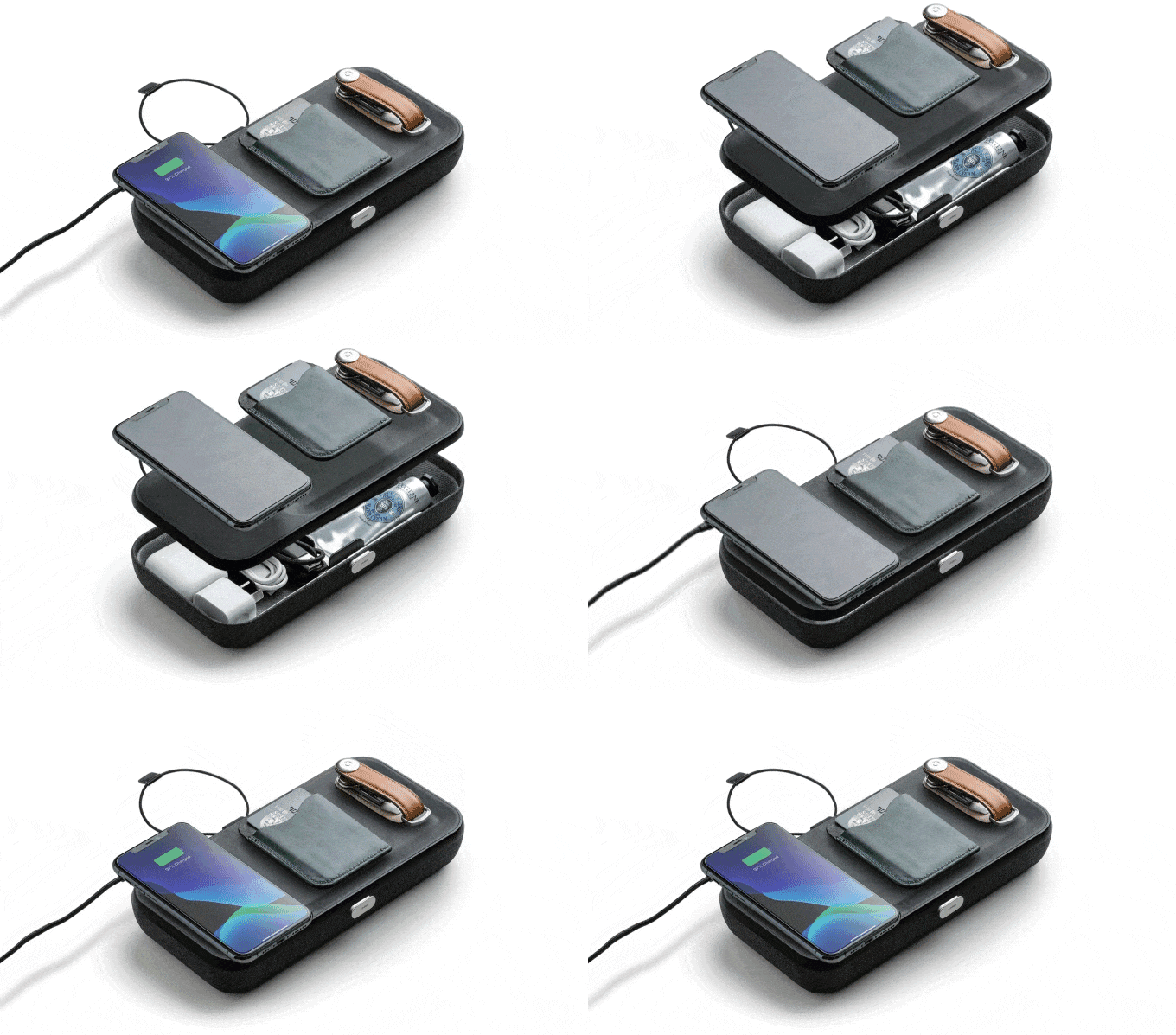
~Orbitkey Nest – A Home For Your Everyday Essentials

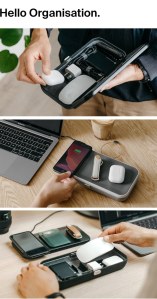
The portable and customizable desk organizer with an in-built wireless charger.

Nest will help you declutter and organize – allowing you to be more productive and efficient at work.

~kai gesture controller

The Kai is an intuitive device capable of tracking the slightest of movements of your wrist and all four fingers to recognize gestures. It then processes these gestures on-board, allowing you to interact with your digital world easily.

High Precision & Low Latency A powerful combination of sensitivity more than 1mm & latency less than 10ms.
Bluetooth LE Bluetooth Low Energy &
5.0 compatibility for industry-standard low power wireless communication
Full-Day Battery Life:
8-hour battery life to power through a day’s usage like a breeze.

Control Center

Kai Control Center allows you to customize how the Kai would work for you by assigning pre-defined gestures to actions on the computer. All this with no coding and through user-friendly interface.

Smart Quill 🖊

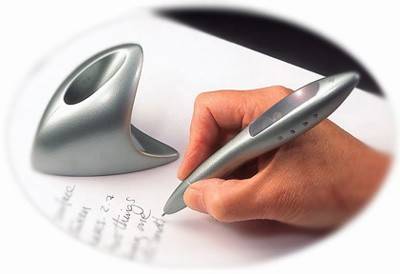
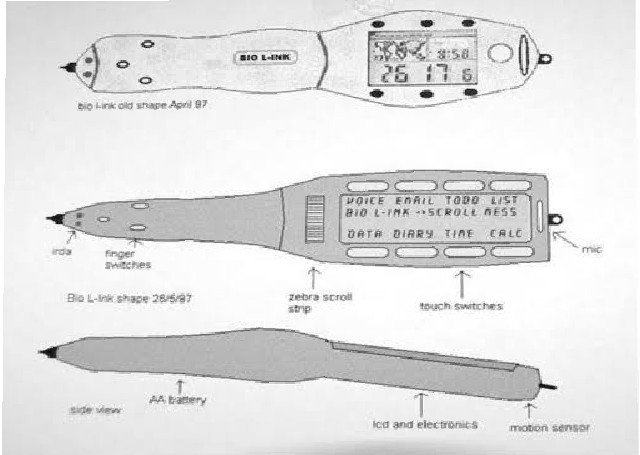
Smart Quill is a computer housed within a pen. This pen replaces the keyboard in the office, but it is highly convenient for people who take notes by hand. The present fashion of computations has started desiring small computers.

Smart Quill was invented in Microsoft Research’s
Cambridge UK lab by Lyndsay Williams. According to
Lyndsay Williams Smart Quill is the pen for the new millennium. The idea of Smart Quill came to the inventor in her dreams.

It is an extraordinary pen that can remember the words it writes and then transfer them into the computer text. This pen is very classy and at the same time absolutely different from the pens that are available in the
market as it performs various functions other than writing.
It does not require any special surface and can write on any be it paper, tablet, air or any other screen. It contains sensors for recording the movements irrespective of the platform, by using the earth’s gravity.

The idea that “it would be neat to put all of a handheld-PDA type computer in a pen,” came to the inventor in her sleep. “It’s the pen for the new millennium,” she says. 

Encouraged by Nigel Ballard, a leading consultant to the mobile computer industry, Williams took her prototype to the British Telecommunications Research Lab, where she was promptly hired and given money and institutional support for her project.

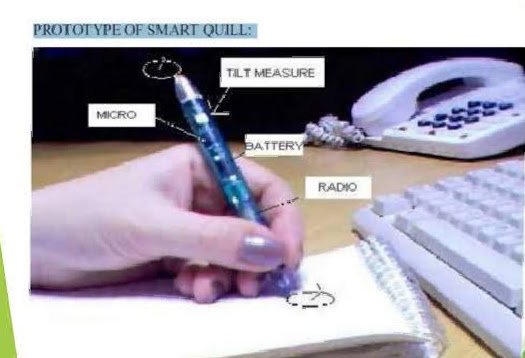
The prototype, called Smart Quilt, has been developed by world-leading research laboratories run by BT (formerly British Telecom) at Martlesham, eastern England. It is claimed to be the biggest revolution in handwriting since the invention of the pen.

~Working:-

Smart Quill measures the movement of the pen and then
matches them to the movements that produce the words and letters programmed into its memory. It is a bit larger than an ordinary fountain pen. By pushing a button on the pen and writing what the user would like to enter, users can enter information and it does not necessarily need a screen.

Architecture of smart quill

The user trains the pen to recognize a particular
handwriting, as long as the handwriting is consistent.
Even if the handwriting is quite messy the pen can recognize it.

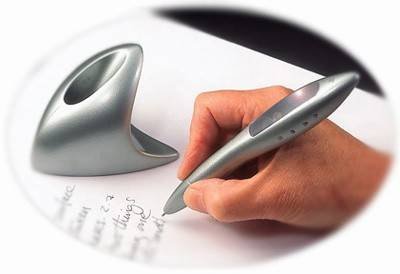
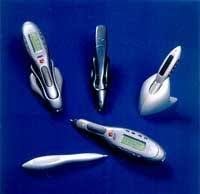
Various kinds of smart quills

~Features and Technology used:-

I.Display Technology
Kopin Corp’s Cyber Display which is ¼ inch diagonal LCD display is used in SmartQuill. It uses circuitry built on a silicon wafer then removed and mounted to glass.

II. Handwriting Recognition Software
Handwriting recognition software is a software that is
embedded in the microprocessor of the pen and is used to
recognize the handwriting of the user.

III. Display Scrolls Using Tilt Sensors
User can choose applications and scroll without using scroll buttons by tilting the pen. By keeping the pen in the left or right hand the text would get align. To measure tilt angle with earth Micro-Electro-Mechanical Systems (MEMS) tilt sensors are used.

IV. Memory
Smart Quill has a memory 4MB EEPROM. At a time, the pen can store locally up to 10 pages of notes. Until the data is uploaded to the personal computer it is stored in the memory on the pen.

V. Power
Smart Quill is powered by Antiaircraft Artillery Battery
(AAA). With a single AAA battery, Smart Quill can work 25 hrs continuously. It exhibits an automatic on/off power system. The pen will automatically power down after a long period of no movement.

~Merits:-

i. Smart Quill can read on any flat surface and not only on paper.
ii. Smart Quill is protected by a password and can be linked with modems, printers, etc.
iii. It is portable and highly convenient.

~Demerits:-

i. Smart Quill has accelerometer errors and is bigger in size than a normal pen.
ii. People with hand tremors have inconvenience with it.
iii. Due to the thermal variations in the spring errors are introduced in the system.

The future of smart quill ensures all the computation power that the user needs right inside the pen. People could use the pen in the office to replace a keyboard. It skip the typing & save our time...